
TEYES guides and news

What Is DAB+ Radio ?
Enhance your drive with DAB+ on your T’EYES head unit. Enjoy crystal-clear digital sound, more stations, and real-time song info for a...

Fake Android Head Units Exposed: How Sellers Manipulate RAM, Storage & Android Versions (And How to Protect Yourself)
The market for Android car head units has exploded in recent years. With features like wireless CarPlay, Android Auto, DSP, 4G, and...

How to Fix Speaker Pop Sounds After Installing an Aftermarket T'eyes Head Unit
Upgrading your vehicle with a T'eyes aftermarket head unit is a smart move for enhanced connectivity, sound quality, and overall driving experience....

LUXONE 360 Car Model Update
T'EYES have released a LUXONE 360 software patch update There have been about 300 car model, as well as several special modes,...

How to Set Custom Wallpapers
1. Press and hold on the screen 2. This option will appear, select "Wallpapers" 3. Swipe Right 4. Press the icon second...

How to select external storage on Poweramp Music Player
1. Open the App draw 2. Find Poweramp App and open it 3. Open Settings Option 4. Open Library Option 5. Enable...
How to Set Google Voice Assistant instead of TEYES Voice
The below will show you how to get Google Voice Assistant to work instead of Teyes Voice. To do this you should have...

How to Upgrade 2K Screen
REMOVE 4 X SCREWS FROM REAR OF UNIT LIFT THE PLASTIC LEVERS ON 3 OF THE RIBBON CABLES CAREFULLY REMOVE THE 3...

How to set custom boot screen logos
NOTE: Boot screen logo will ONLY appear when the unit does a full boot, but NOT when quick booting into the main screen. ...
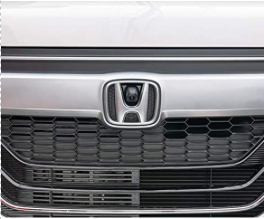
Installing Sony Lens Camera at the front
To view the camera at the front, you should use the Front Video App and mirror the image. To do this change...

How to Increase Font Size
FOR CC3 you can change the DPI setting on the unit (guide), other different type of units may need an app such...

Seat Headrest Mounted Screens and How to Connect Them
Find the right rear-screen connection for your TEYES head unit: CC4/CC4L USB-C HDMI or dual AV, CC4 PRO DisplayPort-to-HDMI, setup steps and...